
Configuring traefik v2 for secure routing as reverse proxy with HTTPS
Configuring traefik v2 for secure routing as reverse proxy with HTTPS
Introductionh2
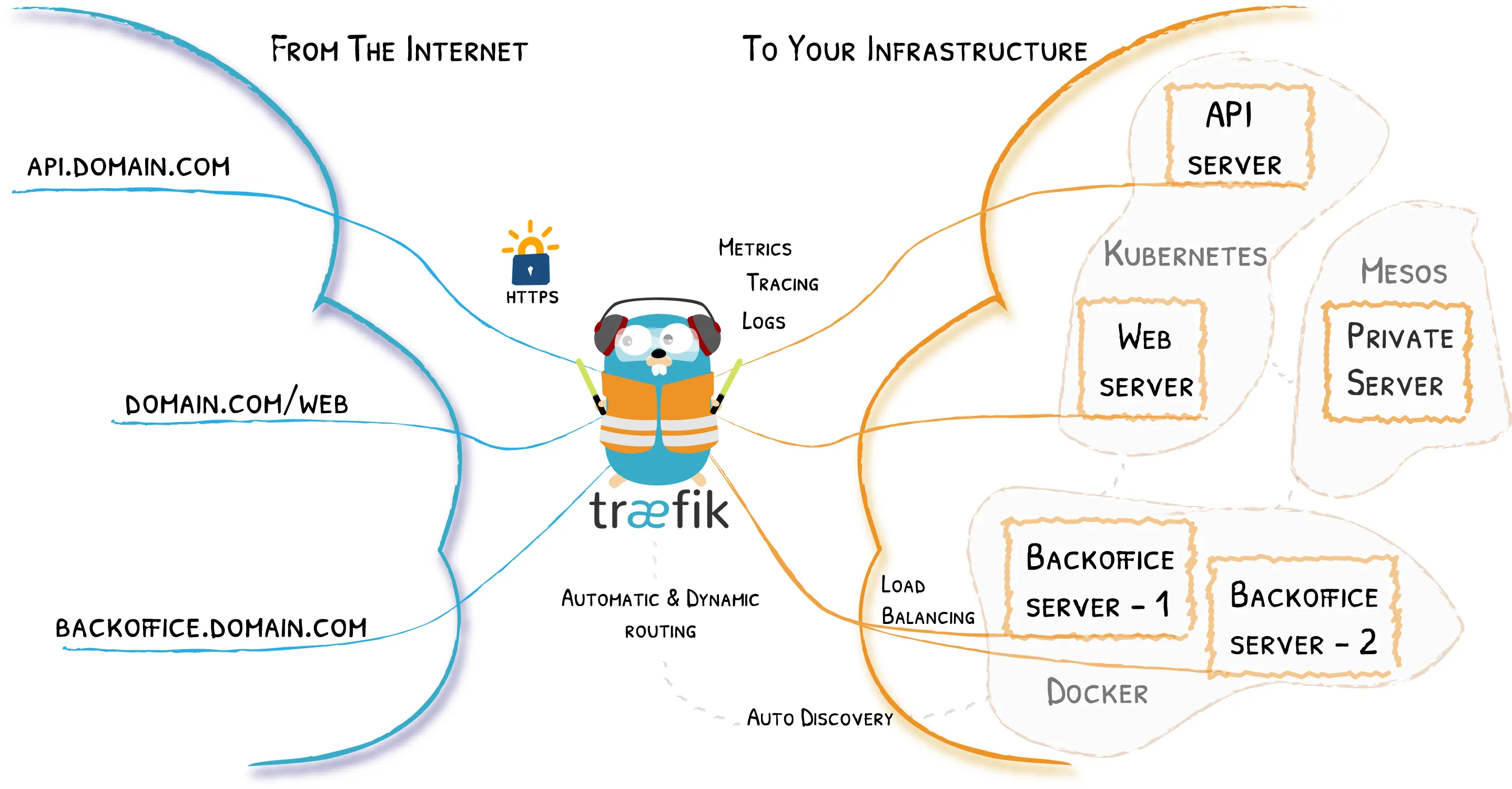
A robust reverse proxy configuration is critical for any self-hosted setup that has elements exposed across the Internet. While reverse proxy services are often used for load balancing and security reasons, most home server owners use them to route requests directed to different domains or subdomains to different hosts or internal services. In my case you can see all my services at https://server.crstian.me/.
In this post we are going to see how to configure Traefik as a reverse proxy such as NGINX.
Let’s see how to securely route requests to a subdomain pointing to a specific port in a container, all securely through HTTPS.
What is a reverse proxy?h2
A reverse proxy is a type of proxy server that retrieves resources on behalf of a client from one or more servers. These resources are then returned to the client as if they originated from the Web server itself.
Which explained in a more vulgar way would be in our case to access different services that we have locally but from the outside and in this case Traefik does the routing work and depending on the subdomain it takes us to one service or another.
Load balancingh3
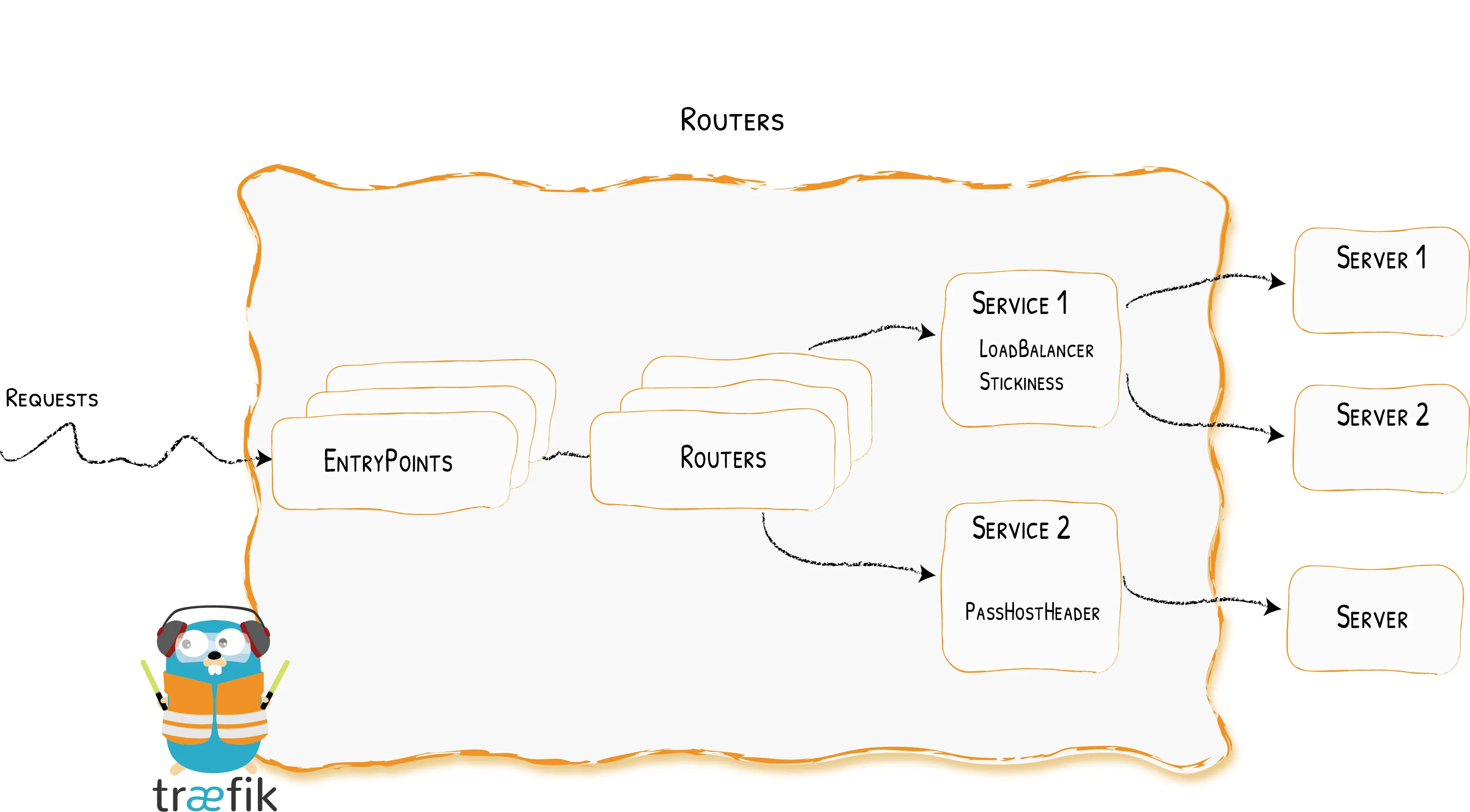
A reverse proxy can distribute the load of incoming requests to multiple servers, with each server running its own application area.
Reverse proxies provide an additional layer of security by never revealing the IP address of the backend server that actually handles the requests. This means that attackers will normally only be able to attack the reverse proxy servers themselves.
SSL encryptionh3
A reverse proxy can be configured with SSL encryption in order to automatically generate certificates for each route with Let’s Encrypt.
Configure Traefik v2h2
In our case we are going to set it up with a docker-compose.yml
version: '3.7'
services:  traefik:    image: traefik:latest    network_mode: host    volumes:      - ./config/:/etc/traefik/      - /var/run/docker.sock:/var/run/docker.sock
Now let’s configure Traefik with its configuration file traefik.toml.
api:  dashboard: true
entryPoints:  web:    address: ":80"  web-secure:    address: ":443"
providers:  docker:    endpoint: "unix:///var/run/docker.sock"    exposedByDefault: false  file:    filename: /etc/traefik/config.yml    watch: true
certificatesResolvers:  default:    acme:      email: your email      storage: /etc/traefik/acme/acme.json      tlsChallenge: {}
Docker Integrationh3
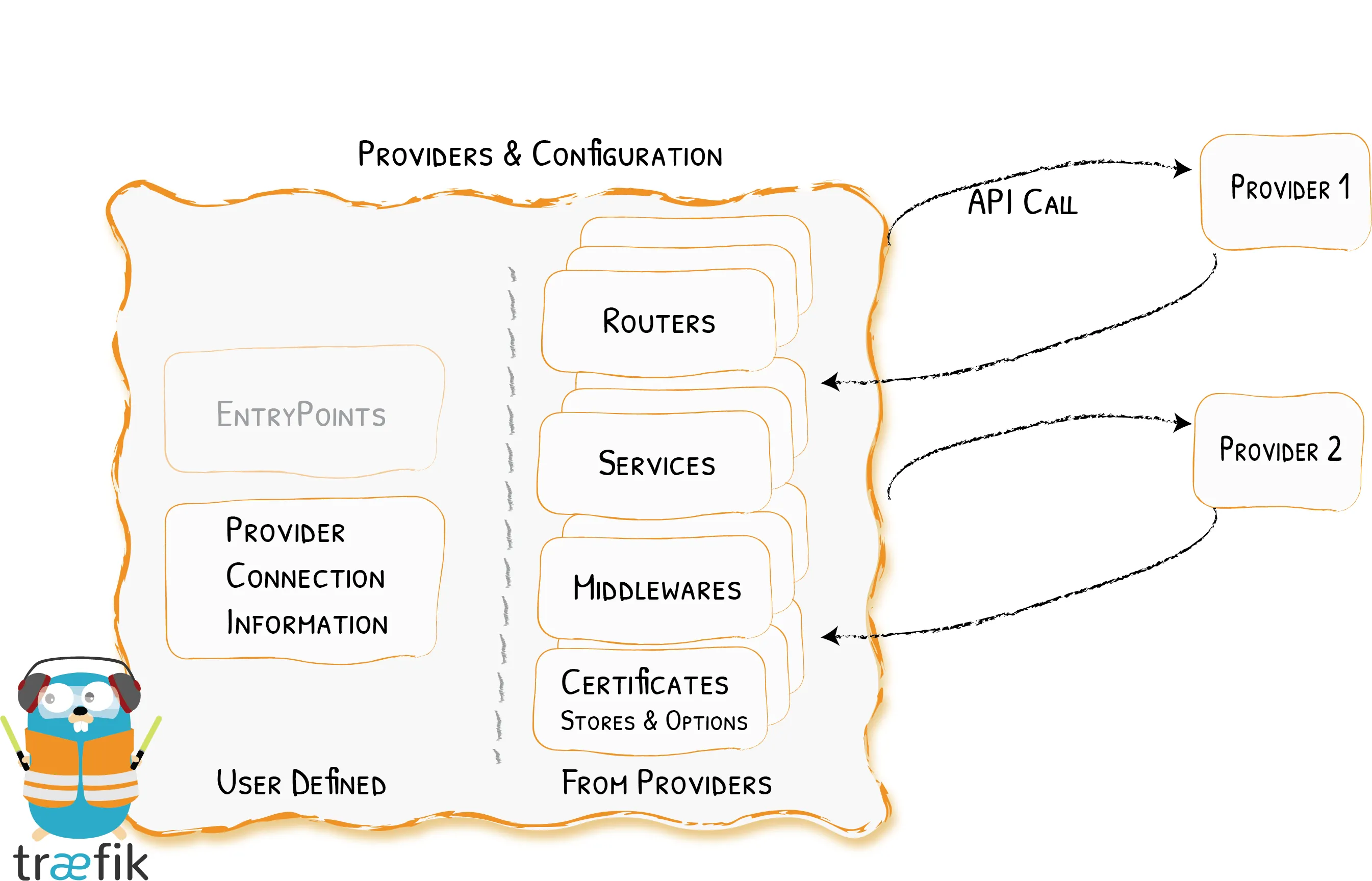
Traefik uses the API of each provider to find routing information and configure itself accordingly.
Entry pointsh3
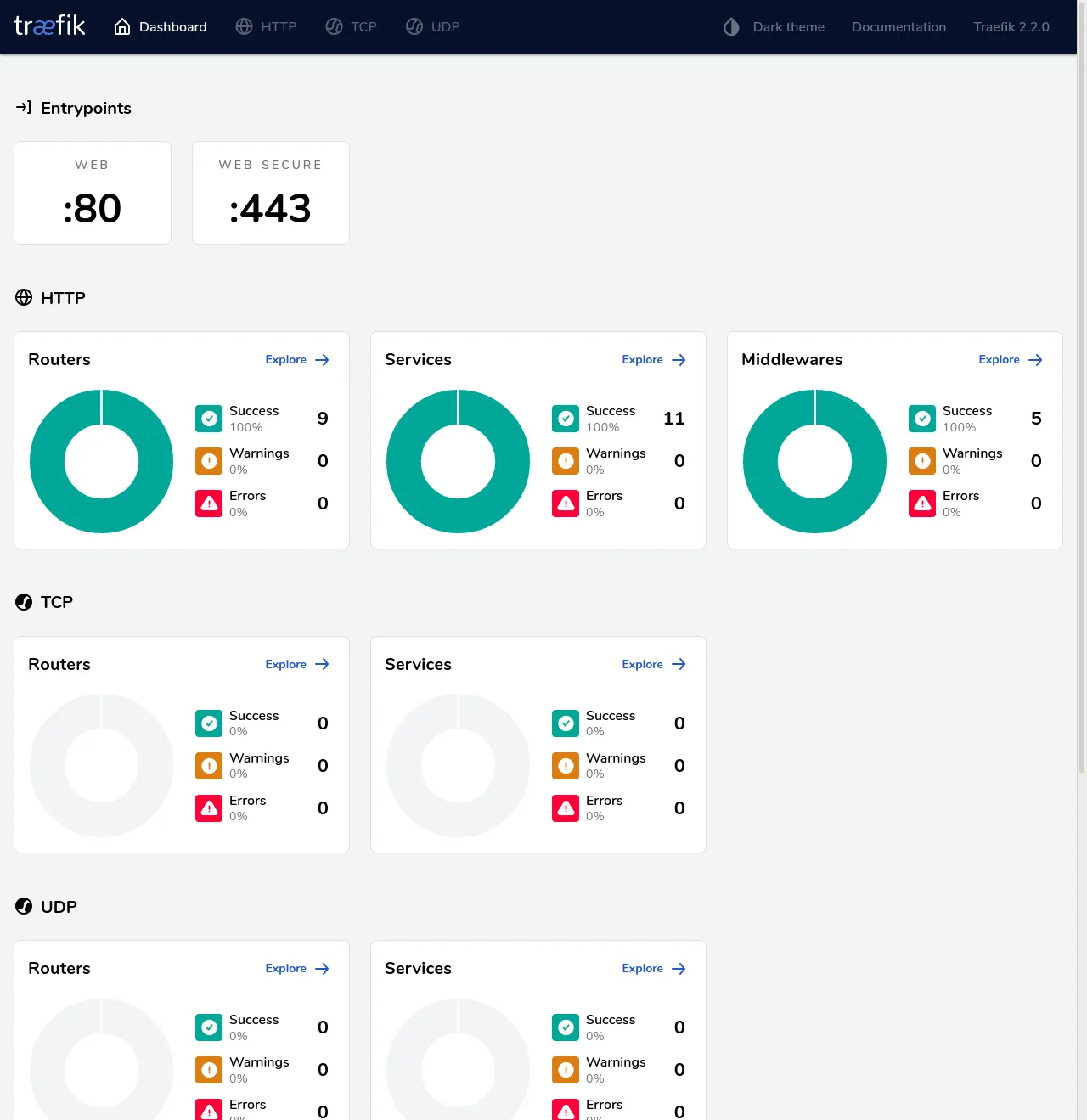
Entry points simply define the ports on which Traefik will listen to receive packets. Two entry points are configured here, web and websecure for ports 80 and 443.
Container configurationh2
The last step to expose our container using Traefik is to add some Docker tags that will allow Traefik to find it.
These are the necessary tags:
labels: - traefik.enable=true - traefik.http.routers.yourservicename.entryPoints=web-secure - traefik.http.routers.yourservicename.rule=Host(`subdomain.your.domain`) - traefik.http.routers.yourservicename.tls=true - traefik.http.routers.yourservicename.middlewares=user:password - traefik.http.services.yourservicename.loadbalancer.server.port=serviceport-
yourservicenametenemos que cambiarlo por el nombre de nuestra aplicación, por ejemplonetdata -
subdomain.your.domaintenemos que cambiarlo por nuestro subdominio que queremos que apunte a nuestra aplicación, por ejemplonetdata.crstian.me -
serviceportaquí tenemos que cambiarlo por el puerto que use nuestro servicio -
user:passworden caso de que queramos ponerle usuario y contraseña para entrar a ese servicio debemos usar usuario y contraseña como si fuera htaccess
An example of a service I have running on my server with its docker-compose.yml
version: '3'services: caddy: image: abiosoft/caddy volumes: - '/storage/shared:/srv' labels: - traefik.enable=true - traefik.http.routers.caddy.entryPoints=web-secure - traefik.http.routers.caddy.rule=Host(`downloads.crstian.me`) - traefik.http.routers.caddy.tls.certresolver=default - traefik.http.services.caddy.loadbalancer.server.port=2015 - traefik.http.routers.caddy.middlewares=torrent - traefik.http.middlewares.torrent.basicAuth.users=mypasswordbro restart: unless-stoppedTraefik Dashboardh2
Finally we are going to configure inside traefik itself so that we can access its dashboard through a subdomain.
Inside the config.yml file we have to have the following:
traefik: rule: Host(`traefik.crstian.me`) entryPoints: - "web-secure" service: api@internal middlewares: - auth tls: certResolver: defaultIt should show this dashboard
Comments